
What?
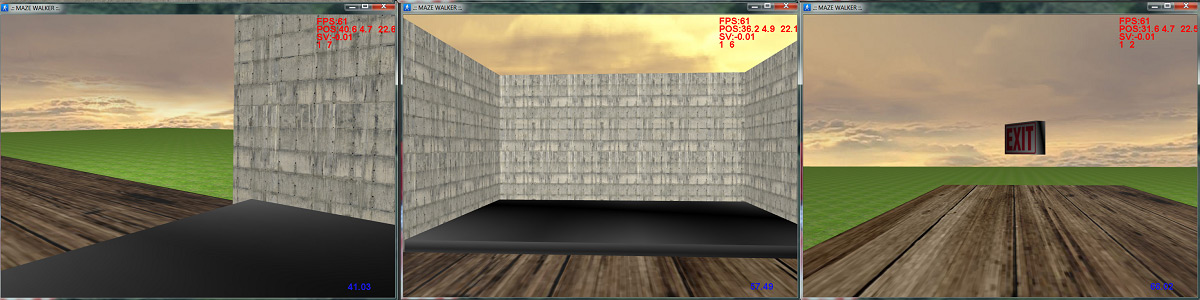
MazeSuite allows you to easily create and visualize 3D environments. It is a complete set of tools that enables researchers to perform motor control, spatial and navigational behavior experiments within interactive and extendable 3D virtual environments. MazeSuite can be used to design and visualize 3D environments, as well as track subjects’ behavioral performance. MazeSuite has been integrated with various technologies/sensors such as fNIRS, EEG, fMRI and tDCS.
How?
MazeSuite consists of three main applications; an editing program to create and alter maze environments (MazeMaker), a visualization/rendering module (MazeWalker), and finally an analysis/mapping tool (MazeAnalyzer). MazeSuite, with all 3 applications, is a complete toolset to rapidly deploy interactive 3D environments. See below for screenshots and information about each application.
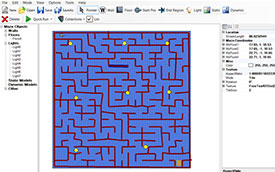
Maze Maker
MazeMaker is the editor application of MazeSuite that can create and edit plain 3D environments.
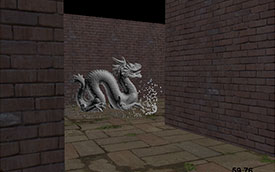
Maze Walker
MazeWalker is the presentation software and 3D engine that renders the maze.
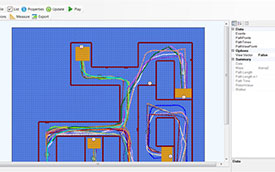
Maze Analyzer
MazeAnalyzer is the post-analysis tool of MazeSuite.